

✨ Stop Wasting Time on Outdated AI—My February 2026 Must-Try List + Pro Picks
New video upscalers, real-time web-searching images, fun vibe code games for kids, transparent edits & more: actionable breakdowns so you grab the right tool fast!

Hello friend. I just celebrated Chinese New Year with my family. I really rested and had a good time. Social media is full of Seedance 2.0 talk, and they’ve even been sued while the model hasn’t launched internationally yet. I’m their Creative Partner and got early access early this month. It’s insanely good and powerful, but we signed an NDA and can’t share until they give the green light. Their global API isn’t released yet, and there’s no fixed launch date. It was supposed to be February 24th but got delayed. I’ve prepared a detailed Seedance 2.0 image model guide from the docs they shared and my experience, and I’ll share it here once it launches. I’m sharing lots of new image and video models. You might wonder which to use, it depends on your needs. If you’re new, try free options. If you’re a dev, go for high quality and good prices. If you’re on client projects, choose what matches your aesthetic. Every model has its strengths; new doesn’t always mean best. That’s why I’m here, to break it all down, share my examples and experience, and help you find the right models and workflow.😉
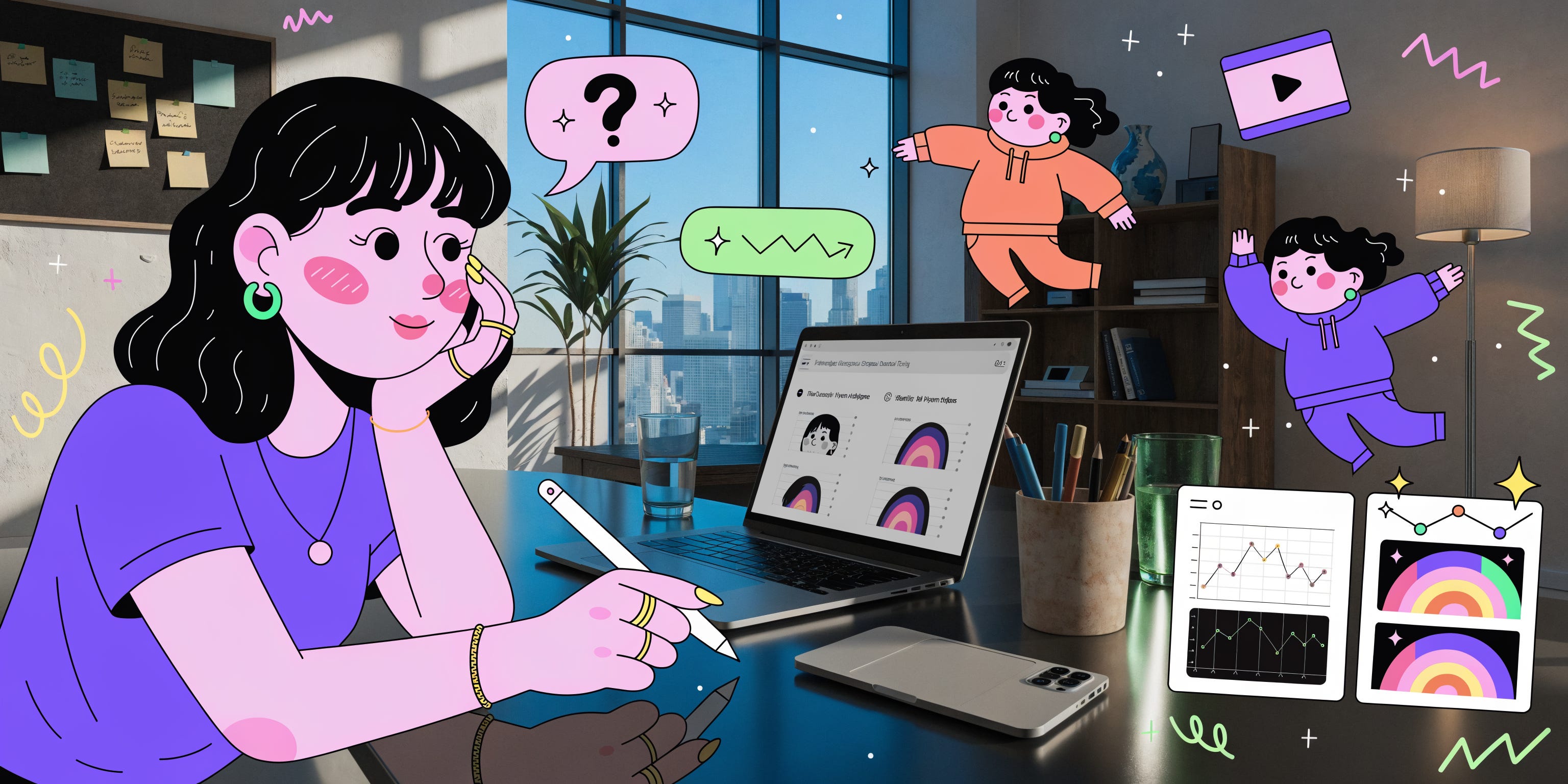
✨My Five Free Favorites in Adobe Express
Adobe Express has tons of really cool features you can use completely for free.
I wanted to share my current top 5 favorite ones here.
They really help me when I’m creating stuff and sharing work with clients or collaborators.
Big thanks to Adobe Express for sponsoring today’s post! 💜
Interested in reaching a community of AI-forward creators?
You can find all the details on sponsoring a future issue right here.
✨ New AI Creative Gems You Don’t Want to Miss 💎
I’ve shared about the Space feature in Producer AI in previous issues, and now I’ve just created a new one called Vibe Station! It is an interactive live-performance pad that lets you intuitively shape a track's sound in real-time, morphing it from muffled 'underwater' depths to bright 'crystal' highs with just a swipe. Just click the play button on the top right, then play with the sound. While I was building this Space, I got a notification on the website that Google has acquired Producer AI. What a journey, they started as Riffusion, became Producer AI, and now they’re part of Google. Super happy to see one of my favorite AI tools succeed like this! Try out my new Vibe Station here. 😉
Lyria 3 is Google’s newest AI music model (from DeepMind) that just landed in the Gemini chat, super fun way to turn your ideas into real songs right there in the conversation. Just type a prompt (or even upload a photo), and you’ll get a 30-second track complete with vocals, lyrics, instruments, and cool cover art. You can download it as a video (with the visuals) or just the MP3 audio, and all your generated songs stay easy to find in your chat history. (I really wish they’d add a separate page just for browsing and making music though, that would be awesome!) I made this song with a simple prompt: a soft lofi for work. I got this image with the song!
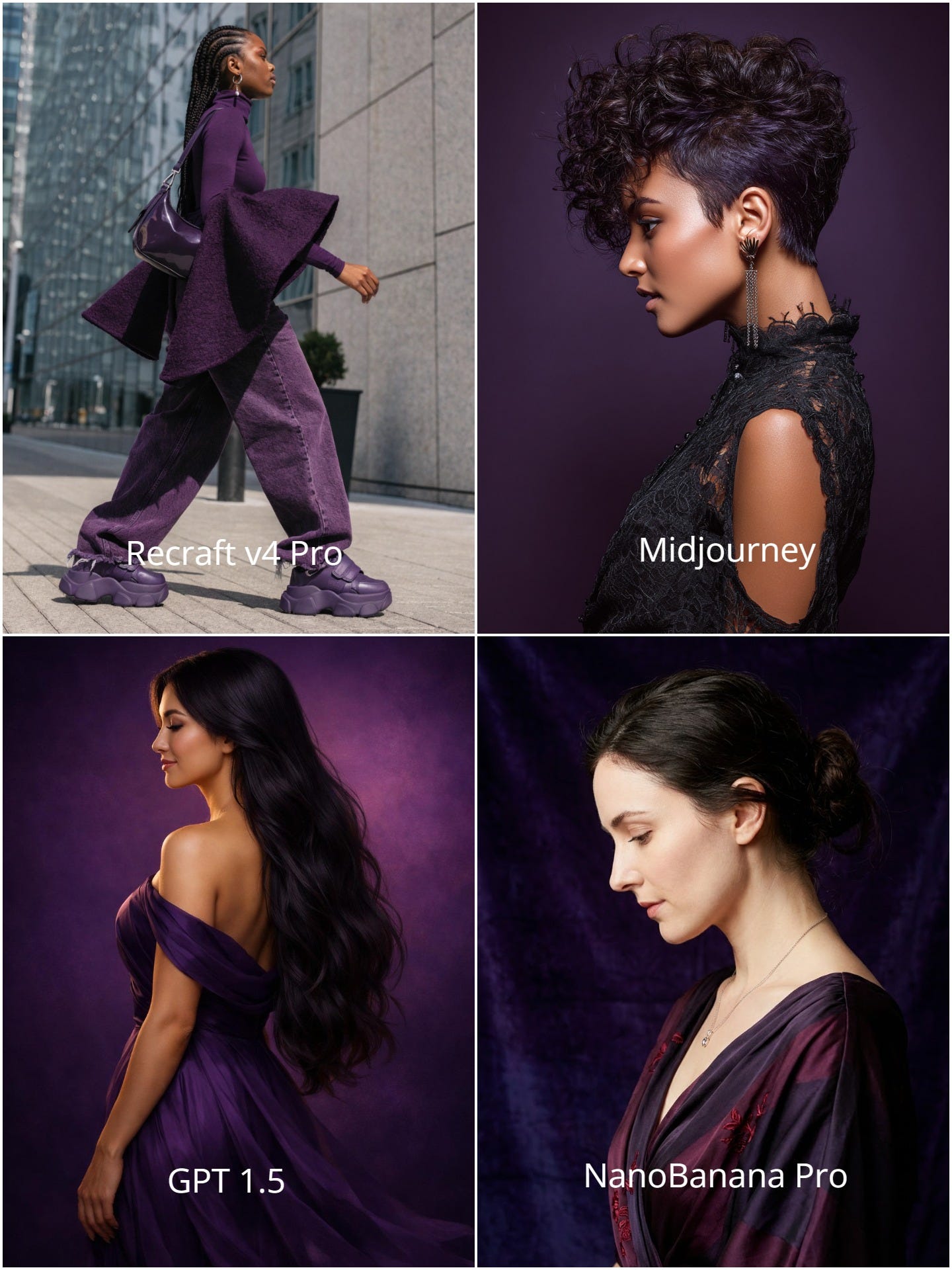
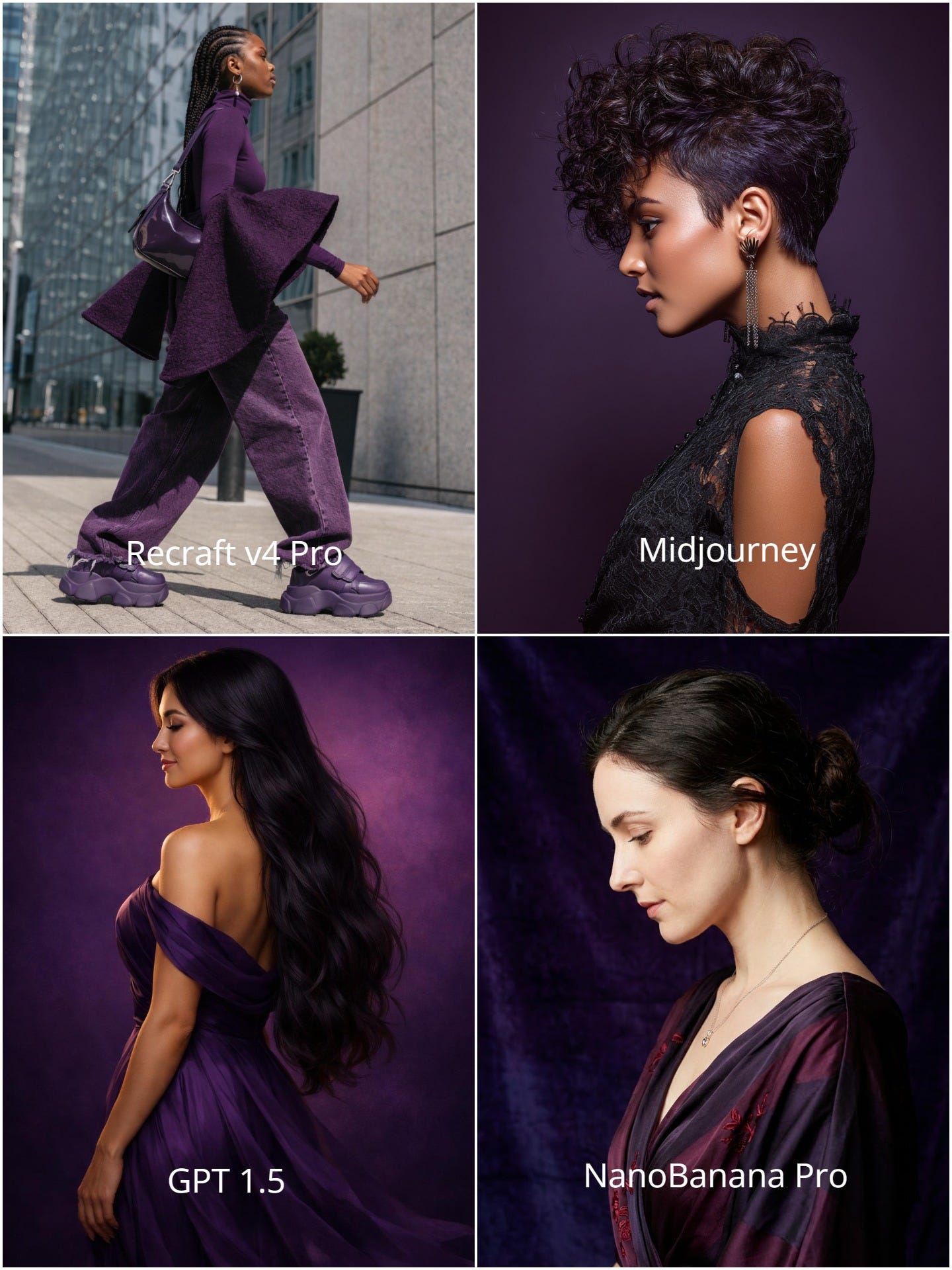
Recraft V4 is the latest text-to-image model, it rebuilt from the ground up with designers in mind. It brings real “visual taste” to generations, so images feel intentionally designed, balanced, and pro-level instead of just matching the prompt literally.
Key highlights:Design taste built in: balanced composition, color harmony, lighting, detail flow.
Top vectors: clean, production-ready, layered SVGs (logos, icons, illustrations).
Better realism: improved anatomy, textures, skin/fabric, natural lighting.
Smart text & layout: legible typography, good negative space, grid-friendly.
Strong prompt handling: accurate on detailed/long prompts, consistent styles.
I tried it with a super simple prompt: “a lady, side view, overall dark purple vibe.” Ran the same prompt through a few image models and did a quick comparison. You can really tell this one understands design and actually has taste. Try it free at Recraft.
ImgNai is a fun AI platform (now under IMGN Labs) where you can generate images and videos using the latest AI models, all while earning $IMGN rewards just for creating stuff on their web app or Discord bot. They recently dropped 7 brand new image models, Aura, Gothic, Retro, Rend, Glitch, Pixel, Synth, all completely free to try right now. I ran the same prompt through all of them, and my favorites are Retro and Glitch.
If you’re looking to create images for free, this is definitely worth a try!
Prompt: beautiful young woman with long flowing pastel purple hair, three-quarter back view turning her head gently over her shoulder looking away into the distance, soft wistful expression, elegant neck and shoulder line, hair cascading dramatically, subtle wind-swept movement, cinematic side lighting with soft rim glow, high qualitySeedream 5.0 Lite is live on Dreamina. I have been playing with this model for weeks, all thanks to the early access. It can search the web in real time, so it knows the latest news, trends, or events and adds them to your images right away (like making a poster about today’s hot topic without you looking it up).
It really understands what you mean and fewer “hallucinations”.
You can edit pictures precisely: change backgrounds, add/remove things, copy styles from other images, or fix details just by describing what you want.
It makes visuals feel fresh and up-to-date, perfect for marketers, designers, or anyone who wants pictures that match current events or real-world looks.
Some examples:
Prompt: Create a minimalist poster for a fictional 'Duolingo' x 'Starbucks' collaboration. Use the current Duolingo 'Duo' owl mascot and the latest Starbucks seasonal branding colors. Include the text 'Fuel Your Fluency' in a clean sans-serif font, ensuring the logo hierarchy is professionally balanced.
Prompt: Generate a high-resolution photo of a crowd gathered at the most recent major space launch site (e.g., SpaceX Starbase or NASA Kennedy). Ensure the weather conditions and the specific rocket model on the pad match the actual current status of the mission as of today

Prompt: Imagine if Vincent van Gogh painted the modern-day Las Vegas Strip, include the Sphere and the Bellagio fountains. Apply the 'Starry Night' impasto technique, but ensure the neon lights of the buildings are the primary light sources in the scene.

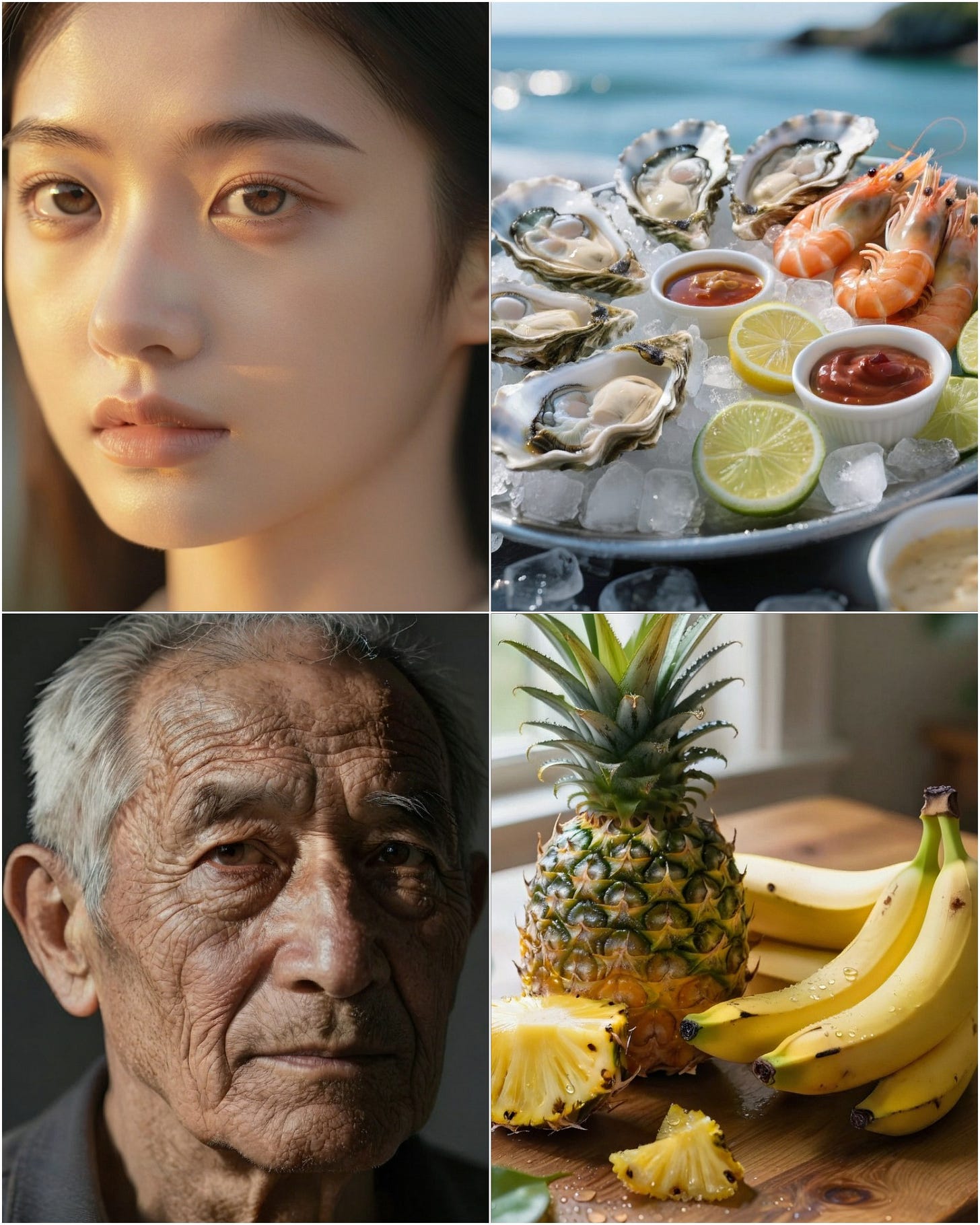
I hopped on fal and played with ByteDance’s new BitDance model, 14B params, open-source, Feb 2026 release, autoregressive with binary visual tokens (think LLM but for images).
Results are wild: super quick high-res photoreal generations, portraits look insanely detailed, textures and lighting on point. Way faster than diffusion models. These came out in seconds!
Ideogram dropped Edit with Transparent Background, letting you refine transparent images with simple text prompts while keeping the transparency perfectly intact,no extra tools or steps needed, and it’s free for everyone. This feature is perfect for POD creators. They also added Collections to organize your generated and uploaded images with names, tags, and sub-collections for building your own asset library. Plus, @ Mention in prompts lets you quickly search and reference any image from your collections by name, tag, or collection, super handy for pulling in multiple refs in one go.
Hedra dropped Omnia Alpha recently. Upload your image + audio (like a podcast or song), toss in a prompt for camera/motion/background control, and you get a real-feeling video. Perfect for making clips from voiceovers or music!
 Hedra@hedra_labsIntroducing Omnia Alpha. Audio-driven generation with full control over camera, motion, and background. Built to cross the uncanny valley without sacrificing creative control. This release is part of a larger vision. The future of world models is open and local. We're exploring5:02 PM · Feb 5, 2026 · 3.1M Views132 Replies · 553 Reposts · 7.06K Likes
LTX Studio just added Styles as Elements, you create a visual style once (by uploading reference images), save it, and then reuse it across your whole project. It’s super handy for cranking out shots quickly in videos, no need to reprompt or re-upload images every time, keeping everything consistent and fast.
 LTX Studio@LTXStudioWe’ve added Styles as Elements in LTX. Create a visual style once, save it, and reuse it across your image generations. Transfer the same look and visual language between scenes without rebuilding prompts. Consistent style, built into your workflow.3:33 PM · Feb 10, 2026 · 739K Views8 Replies · 14 Reposts · 189 Likes
Using the Elements tool, I created this quick video: uploaded my image as a Character Element and a few illustrations as the Style Element, super easy for consistency!
Imagine Art just launched Assist, a new feature that turns your vague ideas or short vibes into detailed prompts and stunning AI-generated images without needing long, complicated descriptions. It’s all about typing less and imagining more, perfect for quick brainstorming or when you’re stuck on wording.
Now we can create Sound Effects with Suno! I wrote a silly prompt: A glitchy alien heartbeat pulsing through broken radio static. Check out the sound effect here. 😉
Magnific AI just launched their Video Upscaler, bringing the same magic detail-enhancing tech from their image upscaler to short video clips. It lets you upscale videos up to 4K with sharper textures, richer details, and full creative control via presets or custom modes.
This one’s a gem: Sonauto lets you make AI music totally free and unlimited. Their latest v3 model can generate tracks up to 4.5 minutes long across thousands of styles. 🤯I have tested, really no-limits access, no credits, no subscriptions, and commercial usage rights on your outputs.
Reve just launched v1.5, their latest image model with native 4K resolution for sharper, more detailed outputs. It excels at clean text rendering, commercial design layouts, photorealism, and overall aesthetic quality, making it a strong pick for pro-looking creatives and branding work. I dropped more details (and examples) in the thread below!
 𝐙𝐞𝐧𝐠 💜@zeng_wtEver dreamed of creating breathtaking travel visuals that actually look professional? Meet @reve v1.5 – currently top 3 on the Image Arena leaderboard (ELO ~1177), crushing it in 2026. Reve v1.5 features👇 1. Outstanding text rendering / typography Crisp, legible,
 4:27 AM · Feb 25, 2026 · 300 Views1 Reply · 1 Repost · 6 Likes



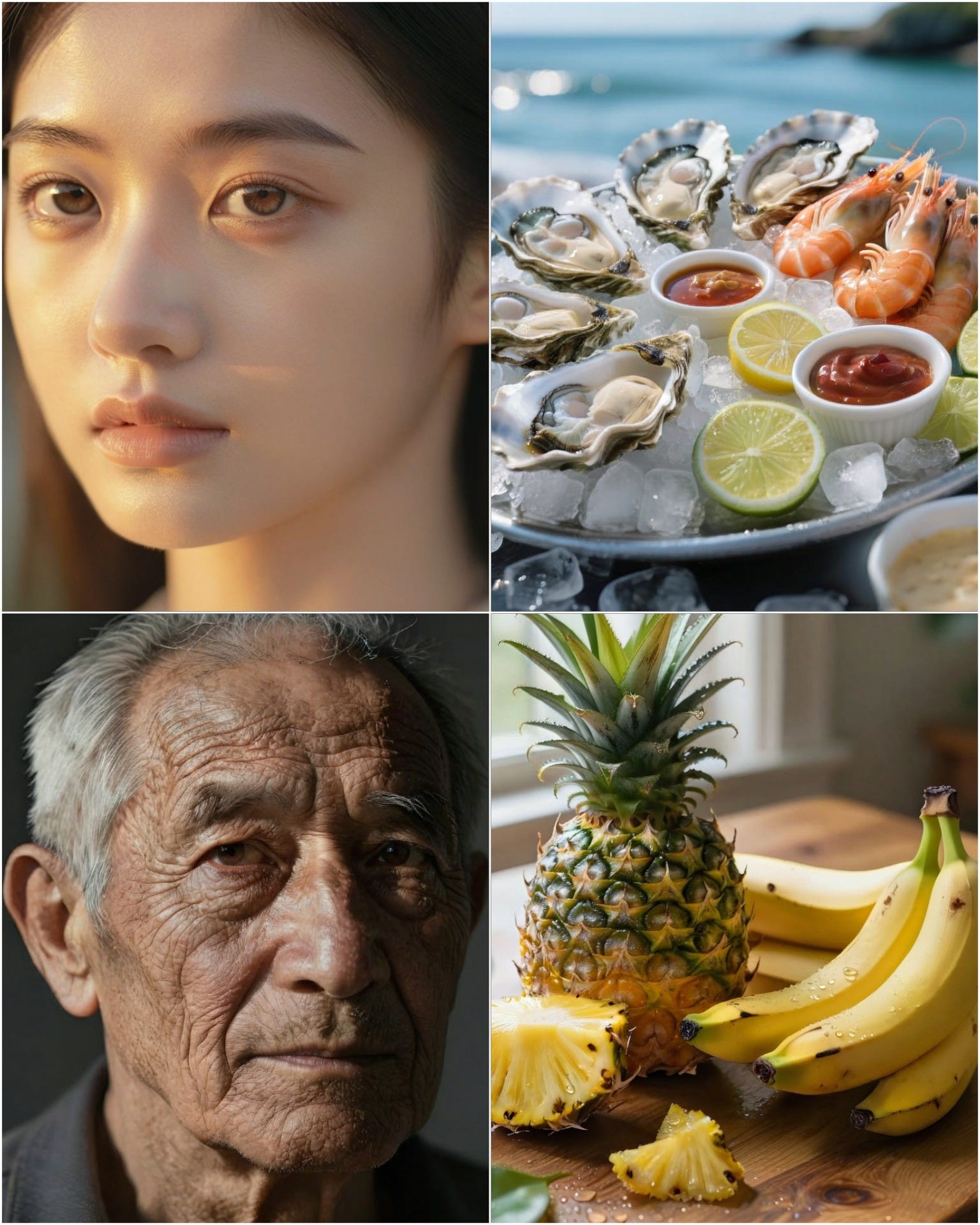


AI courses are outdated by the time you finish them. COZORA is live, so you’re always learning what’s working right now. That’s why I joined and teach at COZORA, a live AI learning community. If you want to stay current on AI without the overwhelm, it's worth a look. Weekly sessions, real workflows, experts sharing their screens. So we can learn and build together. 😉
💎 Gems: AI Creative Tools I’m Loving 💜
We went from prompt-editing still images → full videos → and now real-time live video edits via Lucy 2.0 by Decart AI. You need to try this!
This feels next-level crazy... wonder what’s coming after this! Decart@DecartAIIntroducing Lucy 2.0: a World Editing Model running at 1080p, 30FPS in realtime. Read the technical report, API access, and try the live demo 🧵12:00 AM · Jan 27, 2026 · 143K Views48 Replies · 87 Reposts · 455 Likes
Text to 3D magic just got even cooler! Generate a cute detailed model on Hyper3D AI → click Bang to Parts → watch it explode into perfect individual components! Mind-blowing for game assets, 3D printing, or just pure fun!
GenTube is this super fun, completely free and unlimited AI image generator that feels like magic, just start typing your idea, and it spits out beautiful art in seconds while you watch it come to life right there. What I love most is how ea3sy it is to play with themes, styles, and vibes on the fly: you can remix, tweak as you type, and keep creating without any limits or waiting around.
I used Reve’s Style + Ref to generate a few images, then uploaded them to Dreamina’s Multiframe (you can upload up to 10 frames!) to create this video. You can enter a prompt for the animation, but I left it blank here because I love watching the AI come up with unique animations on its own. It’s a really fun way to generate new images from just a single starting image.
I created this movie trailer using Clova. It’s a full-stack AI creative studio that takes care of consistency across the board and includes a really cool built-in video editor. The whole video was made with just this one tool! Then I uploaded it to Mirelo for SFX and Canva for the titles. Enjoy!
I just vibe coded a charming little game for my five year old daughter using
Rosebud AI, and the entire process took less than 3 minutes. Just chat your idea to the Rosebud, and it builds full 2D/3D games, visuals, and mechanics instantly, no coding needed. Perfect for turning wild concepts into shareable, playable experiences in minutes! Every parents should try this, kids absolutely love it because the game feels made just for them, turning screen time into creative family bonding.💜Check out my game here: it’s all about putting a pink bow on anything that pops up! 😉Share your game with me!

I love to hear from you! Feel free to reply or leave a comment here. 💜
The Prompt Vault 💎
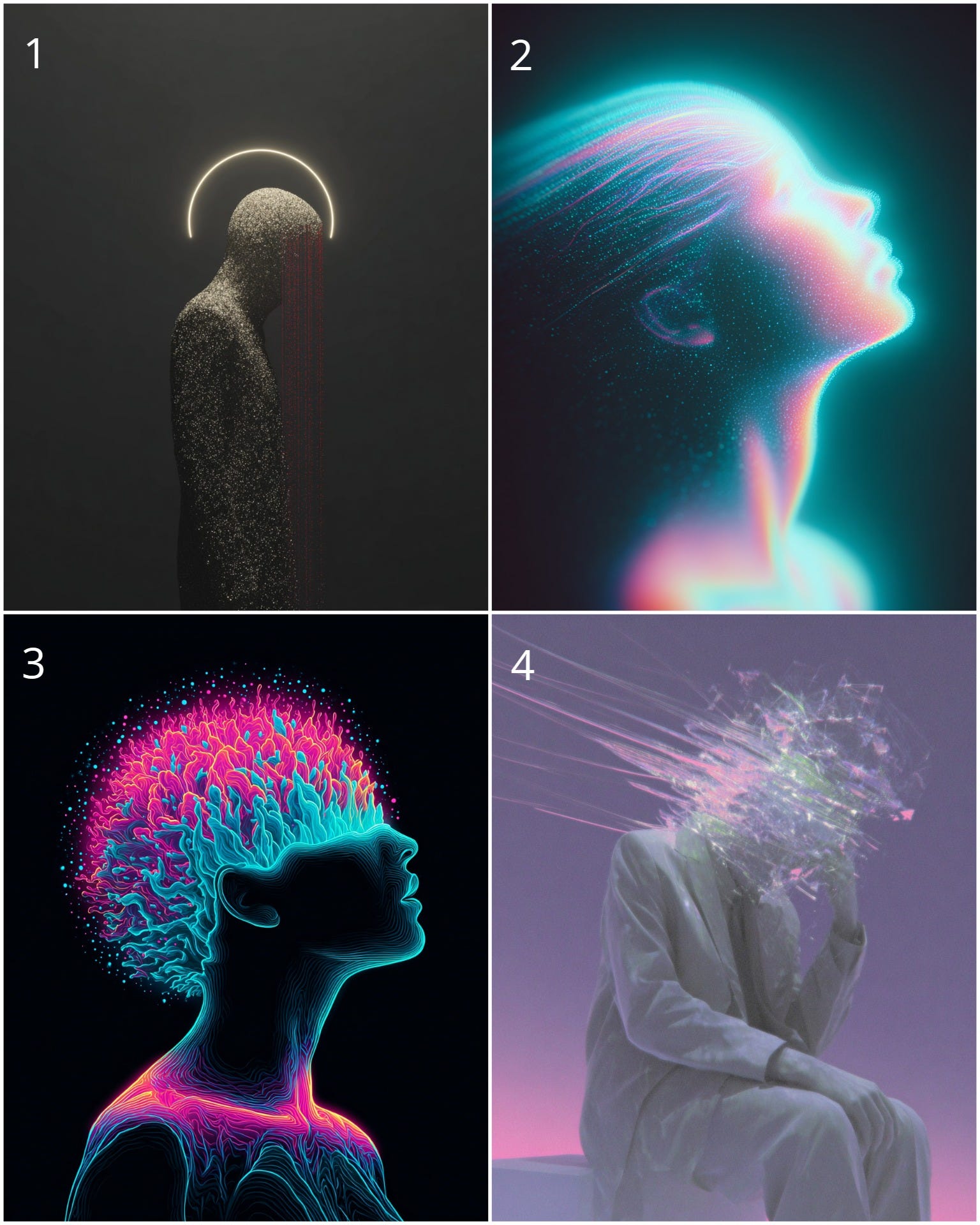
I’m starting a new series on X: AI art inspired by mental disorder names. Here are the prompts for the 4 images below 👇
Tips to make yours unique: Use and sref codes in Midjourney, or any LoRAs you like, mix and blending styles creates truly amazing results!
1. Depersonalization-Derealization Disorder
2. Schizoaffective disorder
3. Schizophrenia
4. Psychosis
Reply to this email if you’d like the sref codes!😉
Thanks for reading and exploring the world of AI with me!
I’ve spent the last few years watching how tools come and go, but I’ve also seen how creative teams struggle to keep up. Most departments are currently “tool-rich but workflow-poor”, they have the subscriptions, but their process is still slow and expensive.
To help solve this, I am now offering the Creative Team AI Audit.
Instead of just adding more noise, I look at exactly what your team is currently using and where the bottlenecks are. I’ll help you optimize your existing stack, cut out the fluff, and suggest the high-performance pipelines that will actually save your company time and money.
If you want to bring your department’s creative output into 2026 and turn your team into an AI-powered powerhouse, just hit reply to this email to start the conversation.
✨Make some AI magic and tag me on X, Instagram or Pinterest.
If you find value in what I’m building here at PicAisso, please consider supporting my work here. Your support allows me to stay in the trenches testing these tools every day so you don’t have to. You are all amazing. ✨
Have fun creating with AI,
Zeng 💜